Category: design

Total 257 Posts

Aiming Right At The Bar

This is one of the most thought-provoking comments this blog has ever seen, one which was posted weeks ago but which still messes with me:

David Cox: What percentage of the population do you think has the eyes and/or ears to know the difference [between soundtracks done well and done poorly]? When I watch a movie or listen to a song, I don’t see the things that you see. I try, but I don’t understand why certain shots are done certain ways or why a particular piece of music was or wasn’t used. Can I learn that? I don’t know. But if my audience won’t know the difference, should I take the time to learn it?

Two incomplete thoughts:

1. The software programmer should not write your lesson plan.

The programmer cares about consumers, not students. The programmer’s job is to make as many features accessible to as many consumers as easily as possible, without glutting the program. Your job is to challenge your students. Your job is very, very different. So don’t feel weird telling kids not to use a) bullet points in PowerPoint, b) filters in Audacity, and c) the “Add Track From iTunes” button in iMovie. The existence of the button does not make good pedagogy out of the button.

2. To put students in a place to care about the difference between good and bad production and not to equip them is wrong.

Which is to say, if you don’t know why those closing montages at the end of Grey’s Anatomy and Lost are insipid shortcuts to genuine emotional interaction with a story, then you should have the humility to recuse yourself and say, “Maybe I’m the wrong person to teach students to make movies.”

This isn’t about amateurs and experts. That fight is over. The amateurs have won and I wouldn’t reverse that ruling if I could. But it’s extremely important to understand where teachers fit into the new creative structure, a structure which has seen the quantity of published media increase at the same pace as its median quality has declined.

We must act as bulwarks against that decline, not accelerants of it.
Flight Control / Lesson Plan

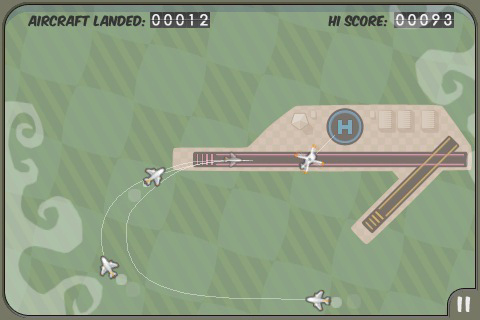
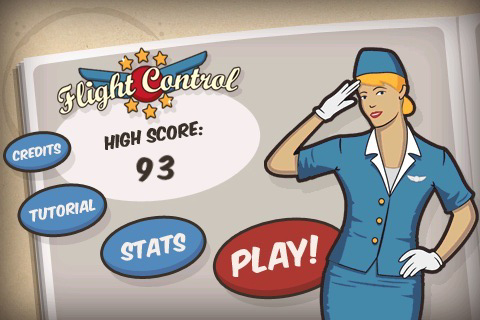
I love the iPhone game Flight Control for all the reasons I love a good lesson plan.

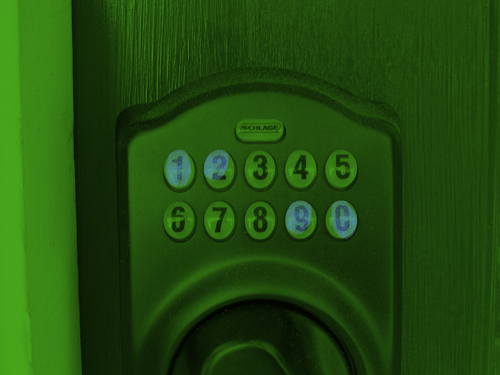
  1. It builds from a simple, visceral premise. “Land the planes. Don’t let any collide.” ¶ Which packs the same clear punch as “what is the combination?
  2. Harder, differentiated challenges arise naturally from that premise. Which is to say, as you get better at the game, it doesn’t just double the speed of the planes or throw up concrete clouds or reverse the controls. It introduces different planes into the airspace, planes which move slightly faster. ¶ In the same way, a good lesson plan doesn’t adapt itself to faster learners by doubling the length of the same problem set or imposing artificial constraints like, “what if one of the buttons was broken?” It tells the learner, “okay, we dusted the lock for prints and found out that these four numbers get pressed a lot. What can you do with this?”
  3. Those new challenges necessitate new skills. In its early stages, Flight Control accommodates a player’s sloppiness but when you have three 757s approaching the landing strip and three helicopters holding in a pattern you have to keep your approaches extremely tight. ¶ The combination lock forces the need for permutations.
  4. Those new skills are assessed simply and clearly. A lesser game would assign separate point values for larger planes or include bonus multipliers. Flight Control assesses your skill along one simple metric: “How many planes have you landed?” ¶ After all the calculations in “Will it hit the can?” the assessment was simply “Were you right?”

Not every game or lesson can accommodate this aesthetic. Nor do I expect them to. But these are my favorite. These are my students’ favorite. And they are too few and far between. We need more.

In Defense Of Digital Media

Jason Dyer, responding to my NLOS cannon post:

Since I’ve done this over the summer with real life bottle rockets, a launcher that could be set at any angle, and a vertical target, I’m not finding the computerized version nearly as interesting. I’ve also run a simpler version of this in my classroom with wads of paper. Why must everything be digital? [emph. added]

Hopefully I’ve made clear by now my preference for pedagogy over technology. If digital media makes for inferior learning, then, by all means, let’s stuff it in a burlap sack and toss it in the river. My preference is also for the real thing over a digital simulation of the real thing. That said, there are three circumstances where digital media is preferable to the real thing:

  1. The real thing is too expensive. I’d rather let every kid hold a photo of a measuring cup than spend $100 for a class set of measuring cups. It’s too expensive to take a class trip to the Yucatan Peninsula so perhaps we can forgive ourselves for showing photos of the Mayan pyramids instead. I’d much rather copy and paste Google’s satellite imagery into a Keynote presentation than charter a plane to take my kids up in groups.
  2. The real thing is too mathematically noisy for classroom use. Jason prefers a real demonstration of projectile motion using bottle rockets to my use of online simulators but that introduces acceleration and wind resistance– mathematical noise – into the system. Let’s not romanticize the real or the digital. They are both deficient. They both require a cost-benefit analysis.
  3. The real thing can’t be iterated precisely enough. I wanted to show my students several misses with “Will it hit the can?” – long, short, and to the side – and at least one success. If my students were live with me, on the scene, they would see many, many, many misses, most of which would be mathematically unhelpful. My students can also measure and manipulate digital media (by modeling a parabola in Geogebra, tracking motion in Logger or Tracker, etc.), something they can’t do with live events.

YouCube: The Latest In Cube-Based Storytelling Technology

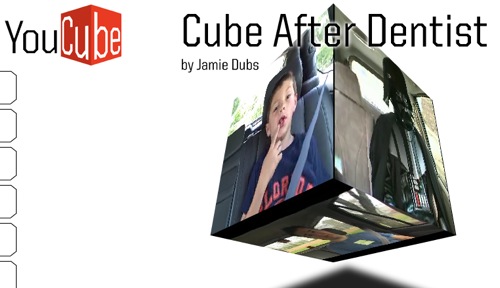
I’m mixed. On the one hand, YouCube is a pretty interesting way to compare remixes of a thing (ie. David After Dentist) to the thing itself.

On the other hand, this strikes me as just another one of those tool that depends entirely on a teacher’s pre-existing digital storytelling skills but which also distracts her from developing those skills. (ie. Why learn how to make one video really well when you can put six average videos on a cube!)

What You Can’t Do With This: NLOS Cannon Challenge

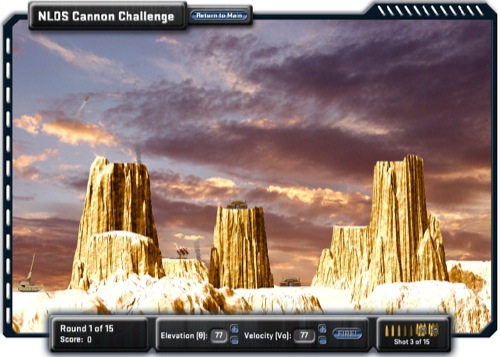
This is a classic game. It’s been around in various forms longer than I’ve been alive. Choose your velocity, choose your angle, cross your fingers, and fire. Discovery has simplified the game nicely, removing some noisy variables like wind speed, which you’ll find in other versions.

I first saw Discovery’s incarnation several weeks ago and have been on-and-off obsessed ever since by the question: what can I do with this? The point of this post is to throw up my hands and report: nearly nothing. I have no idea what the students do here.

I mean, it’s far from worthless. If a student can get past level ten, then she clearly has some understanding of angle and velocity and the dialog between the two. She might even ask herself some interesting questions, like, which angle gives you the longest range? But I won’t drag the laptop cart across school for those small potatoes, for that two-step lesson plan of 1) guess and 2) check.

Here is the most rigorous, reasonable question this game can ask, a question which it is fundamentally incapable of answering: can you develop a method for hitting any target in one shot? This is a question either a) Discovery didn’t think of or b) Discovery thought of but, for whatever reason, didn’t make accessible to students.

Either way, it’s frustrating. It’s frustrating that:

  • there isn’t a grid for determining coordinates;
  • the units aren’t defined;
  • there isn’t a timer for determining parametrized equations;
  • banner advertising reloads in the middle of the projectile’s flight, making a mess of my makeshift timer.
  • you’re firing from the tip of the cannon, not the base of it, which adds mathematical noise;
  • the layouts change at random (ie. my level three isn’t the same as your level three) which crushes my one workaround here, copying level screenshots into Geogebra.
  • I think, though I can’t be sure, that you’re blowing up huts and tents in some levels, which, gross. Seriously.

All of which is frustrating. The game uses mathematical notation for angle and initial velocity. It comes packaged with its own assessment systemYou get 100 points for each unused shell. The student with the most points (likely) has the best algorithm and calculations.. This thing is so close to being useful.

Which makes it an interesting answer to Scott McLeod’s question, where are the Internet resources for your subject area? Because this game isn’t from some arcade site which I’m hopelessly trying to bang into a lesson plan. It’s from Discovery, which isn’t exactly apathetic to the needs of educators. Why didn’t the thing come with a lesson plan?

My takeaway here is that the people who know the Internet and the people who know instructional design aren’t the same people and they aren’t talking to each other enough. We are left to our own devices.

BTW: Just a little over a year later and Colleen King comes through for the team: Tactical Rescue Missions for Intergalactic Good. Great work.